Skip to content
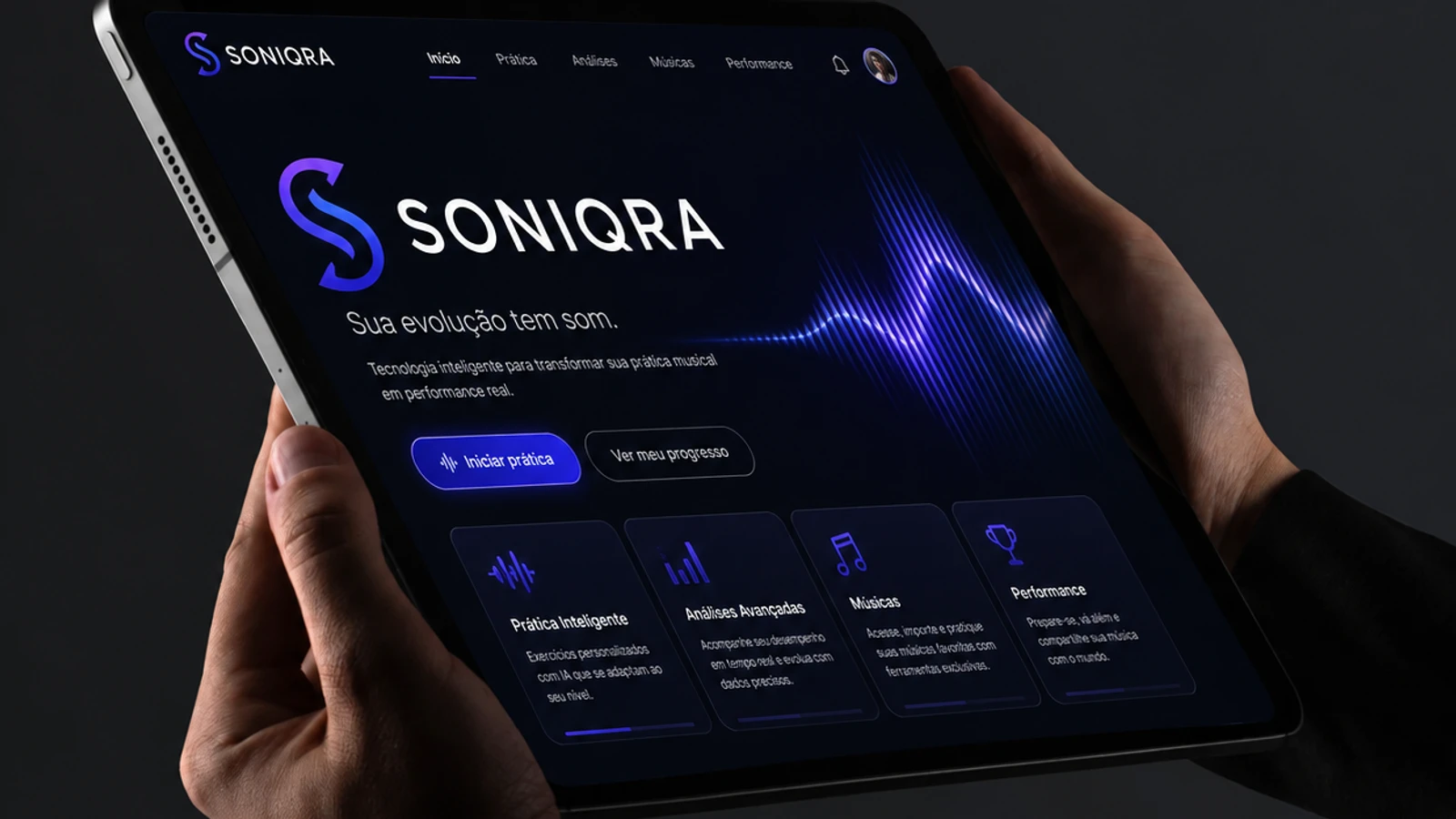
Cover of the SONIQRA project
Project
SONIQRA
Sector
Own product · Music education
Services
SaaS product, Audio engine, Assessment engine, Interactive sheet music
Year
2026

A music teaching platform that listens to the student play and tells the teacher where they improved and where they got stuck.

The music teacher sends a voice note on WhatsApp asking the student to practise a song for Sunday. Between that message and the rehearsal, they know nothing: not whether the student practised, not where they got stuck, and they find out on the day, when it is too late to fix.

On the other side, the student practises alone repeating the same mistake, because nothing tells them the F sharp is coming out natural. SONIQRA exists to close that gap.

The challenge

  • Actually listen to the instrument: turn the microphone signal into note, pitch in cents, onset and duration, accurately enough to become an assessment.
  • Not lie about its own accuracy. A MIDI keyboard and a guitar picked up by a phone do not allow the same promise.
  • Never punish the student for an equipment limitation: if the detection was not sure, that cannot become their mistake.
  • Read real notation, not a drawing: MusicXML and MIDI with voices, tablature, anacrusis, transposing instruments, lyrics and chord symbols.
  • Measure the equipment's delay before judging rhythm, because a Bluetooth headphone lags more than the difference being measured.

The solution

The chain is complete: interactive sheet music, real instrument capture, assessment, pedagogical diagnosis, study recommendation and teacher follow-up. The engine finds the pattern, not the isolated slip: when the student misses the same F sharp several times, the system points at the note, not at the session.

Honesty is an architectural rule, not marketing copy. The platform declares across four levels what it can assess for each combination of instrument and input, and shows that to the student before they begin. A low-confidence event drops out of the maths entirely, neither as a hit nor as a miss. And a metric that cannot be measured comes out undefined, never zero: drums have no pitch, so the tuning card simply does not exist on that screen.
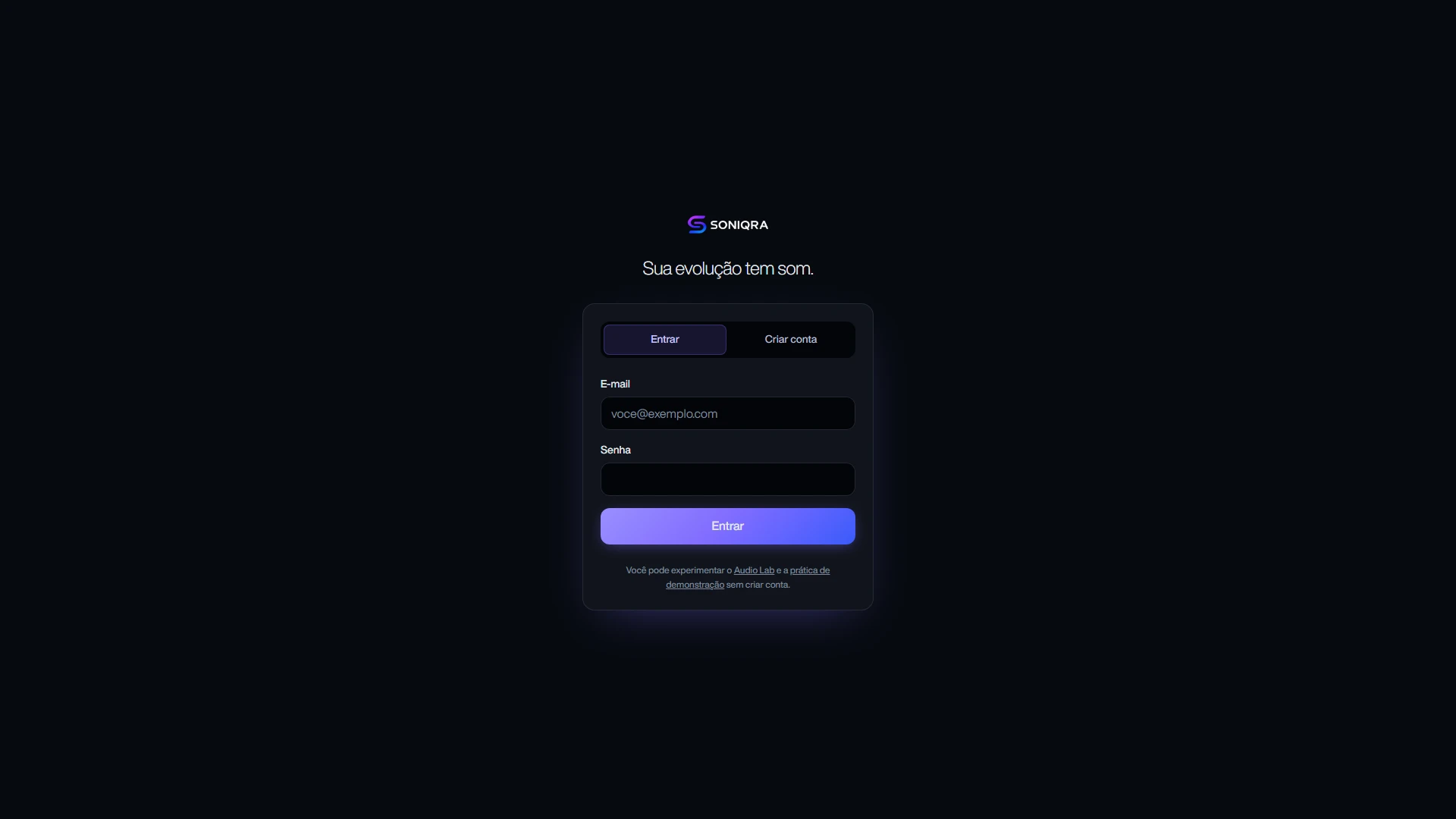
SONIQRA sign-in screen with login and the notice that the demo runs without an account
Sign inSign in or create an account, and under the form the reminder that defines the product's stance: the Audio Lab and the demo practice work without an account.
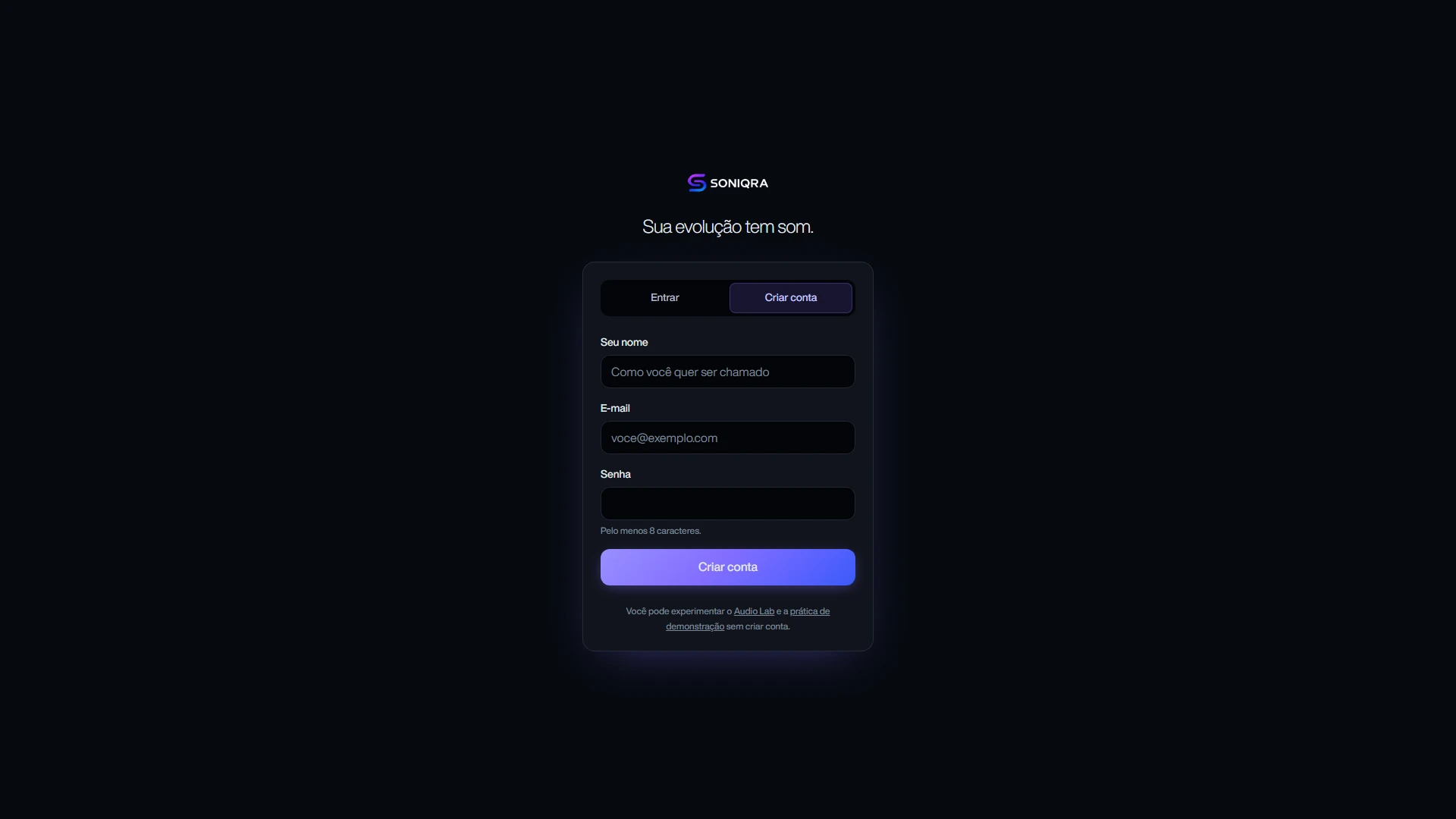
SONIQRA account creation tab with name, e-mail and password
Create accountName, e-mail and password, and nothing else. Instrument and level are left to onboarding, once the person is already in: asking for everything at once is the fastest way to lose someone on the first screen.
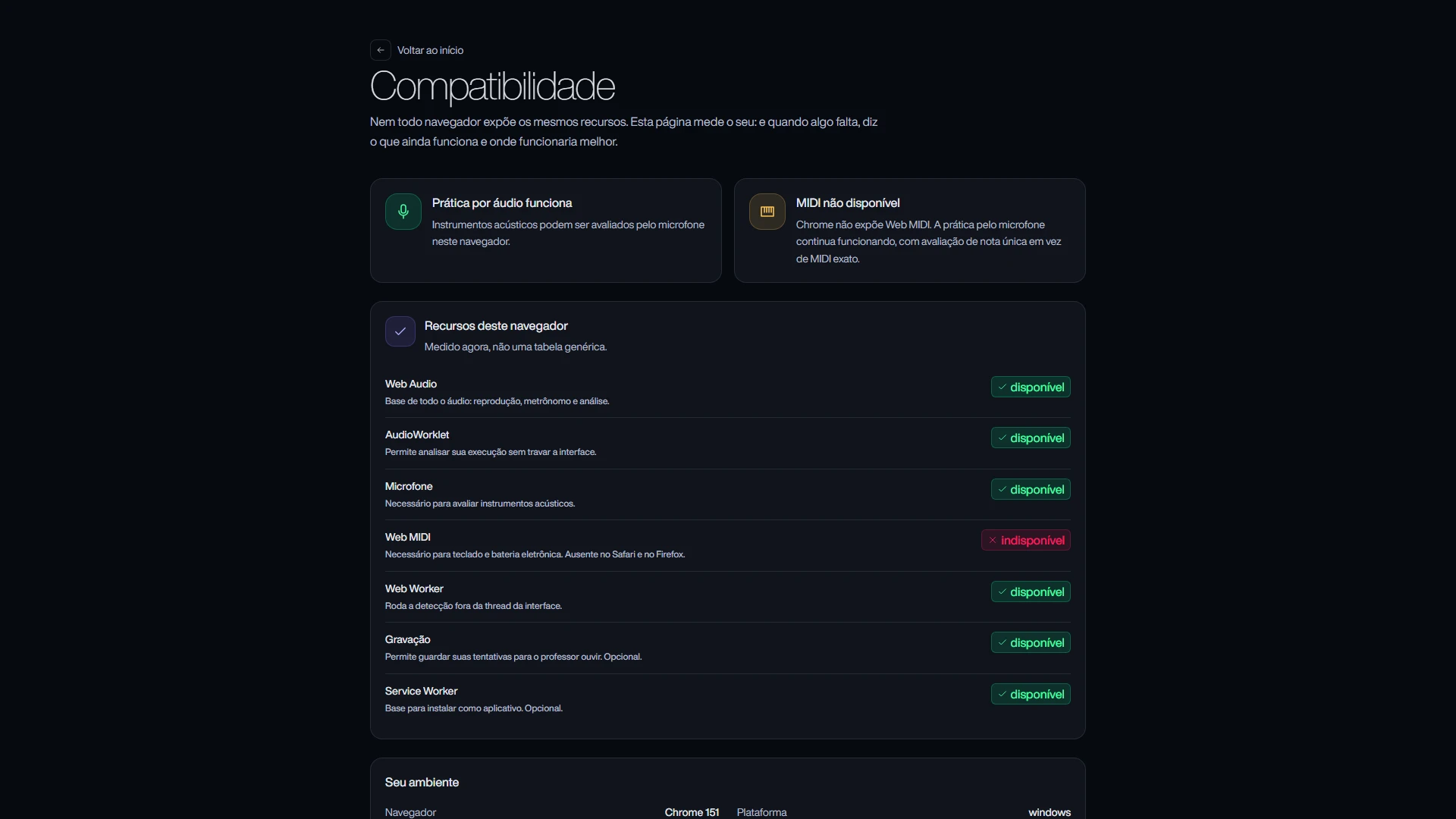
SONIQRA compatibility page measuring the browser's capabilities and what changes when one is missing
CompatibilityThe page measures the visitor's own browser, not a generic table: Web Audio, AudioWorklet, microphone, Web MIDI, worker, recording. Where a capability is missing, it says what still works and what changes.
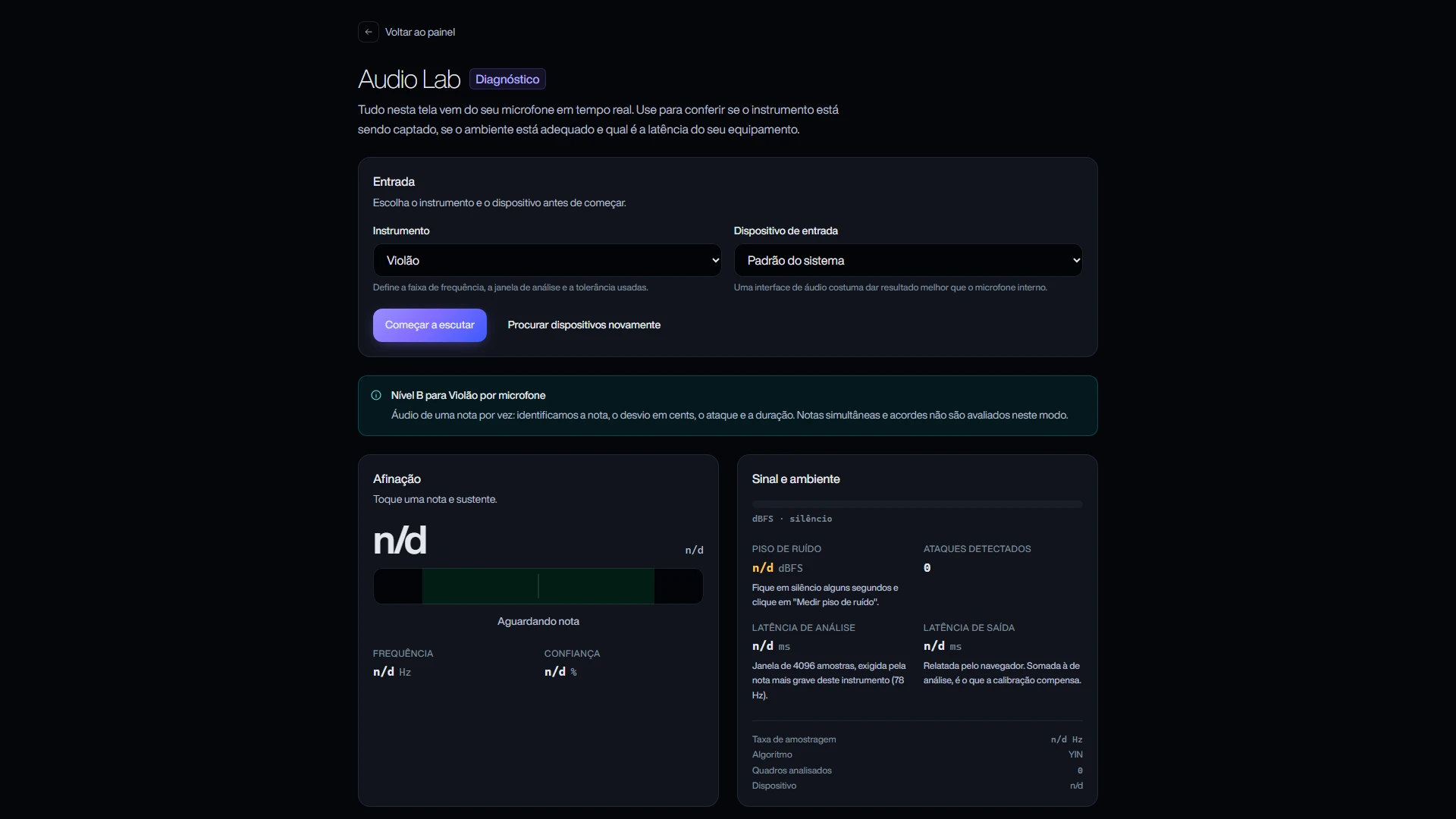
SONIQRA Audio Lab with guitar selected and the level B declaration
Audio LabThe diagnostic that runs before practice. Once the instrument is chosen, the screen declares the assessment level for that combination: guitar over a microphone is level B, one note at a time, with note, deviation in cents, onset and duration.
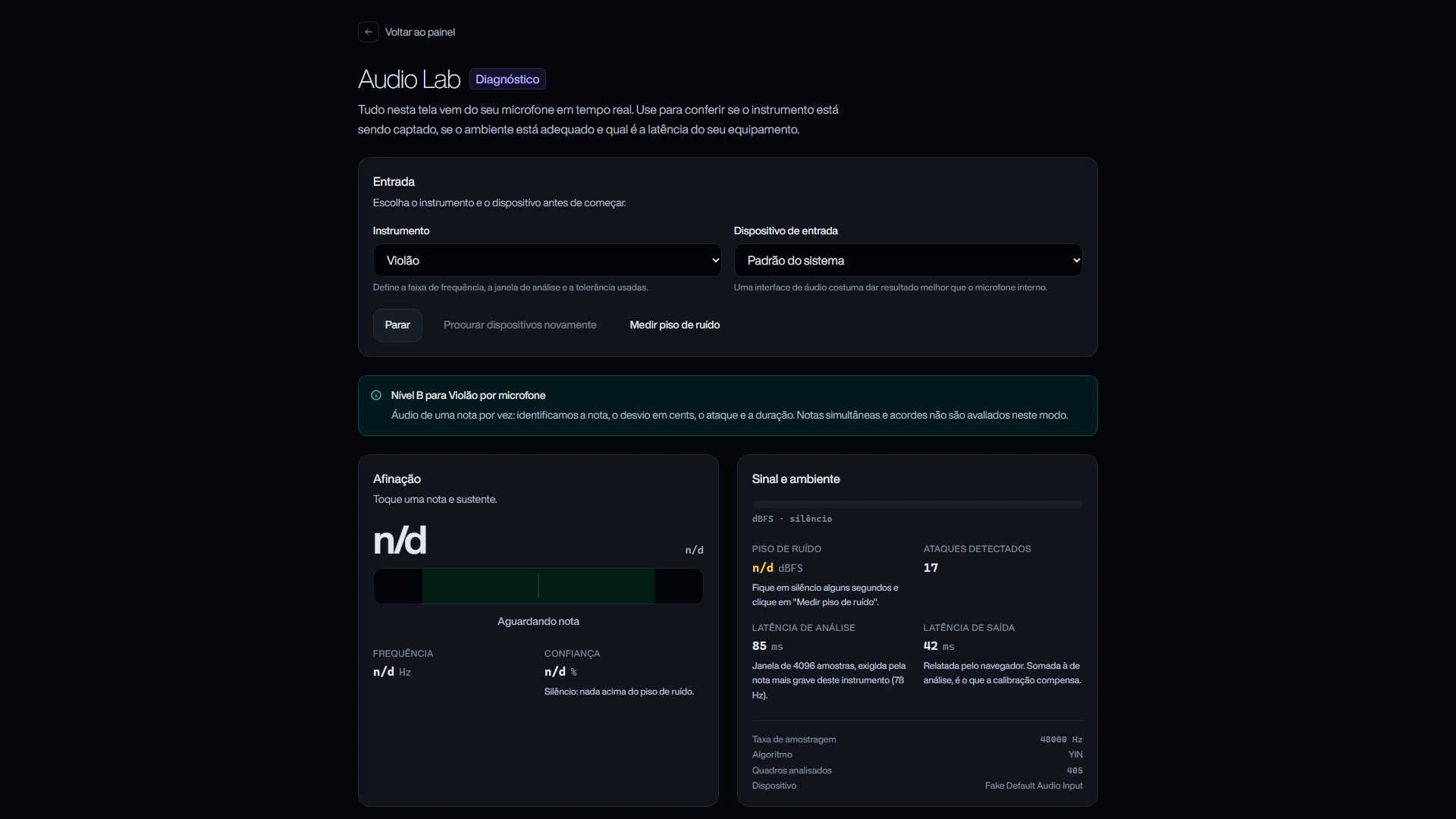
SONIQRA Audio Lab listening, with onsets detected, measured latencies and the YIN algorithm in use
Measuring liveThe same Audio Lab with listening on: onsets detected, analysis and output latency in milliseconds, sample rate, frames analysed and the algorithm in use. It is measurement from the microphone, not an estimate.
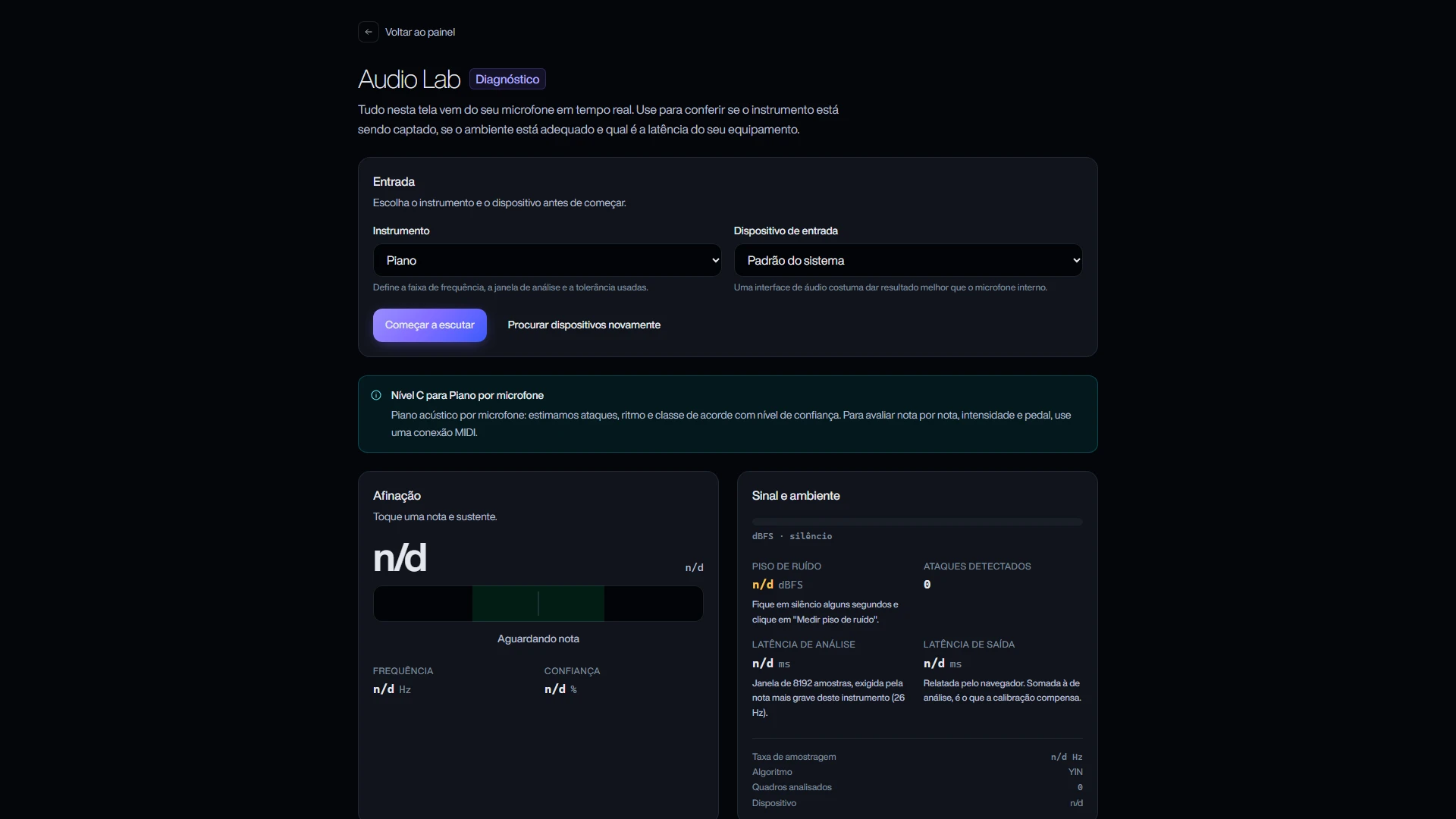
SONIQRA Audio Lab with piano selected and the level C declaration
Level CThe same Audio Lab with piano instead of guitar, and the promise changes with it: over a microphone, the piano becomes level C, a harmonic estimate with confidence. Over MIDI, the same piano would be level A, exact.
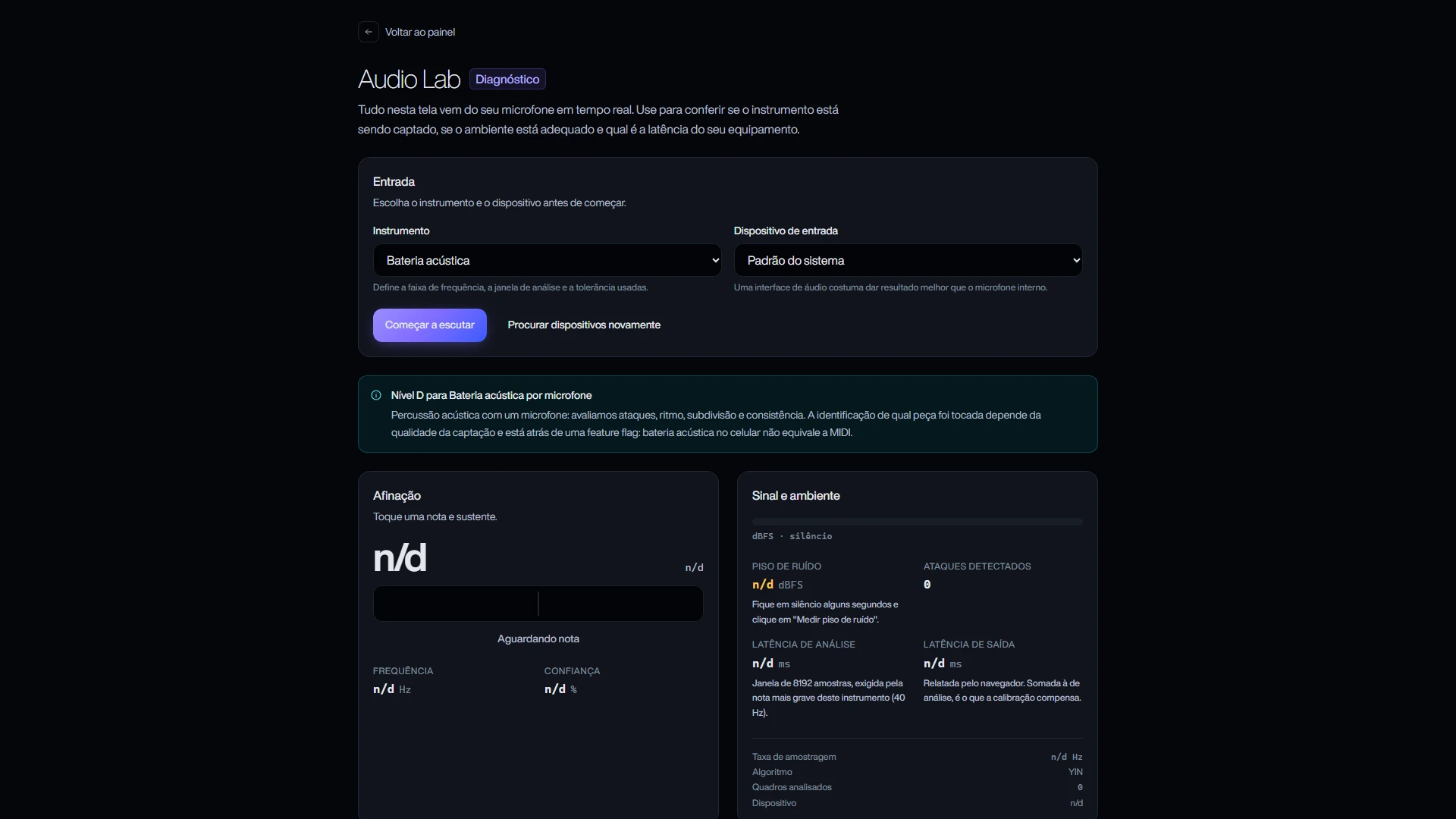
SONIQRA Audio Lab with acoustic drums selected and the level D declaration
Level DAcoustic drums over a microphone is level D: onsets, rhythm, subdivision and consistency. The screen warns that identifying which piece was hit depends on the capture and sits behind a feature flag, and that drums on a phone are not equivalent to MIDI.
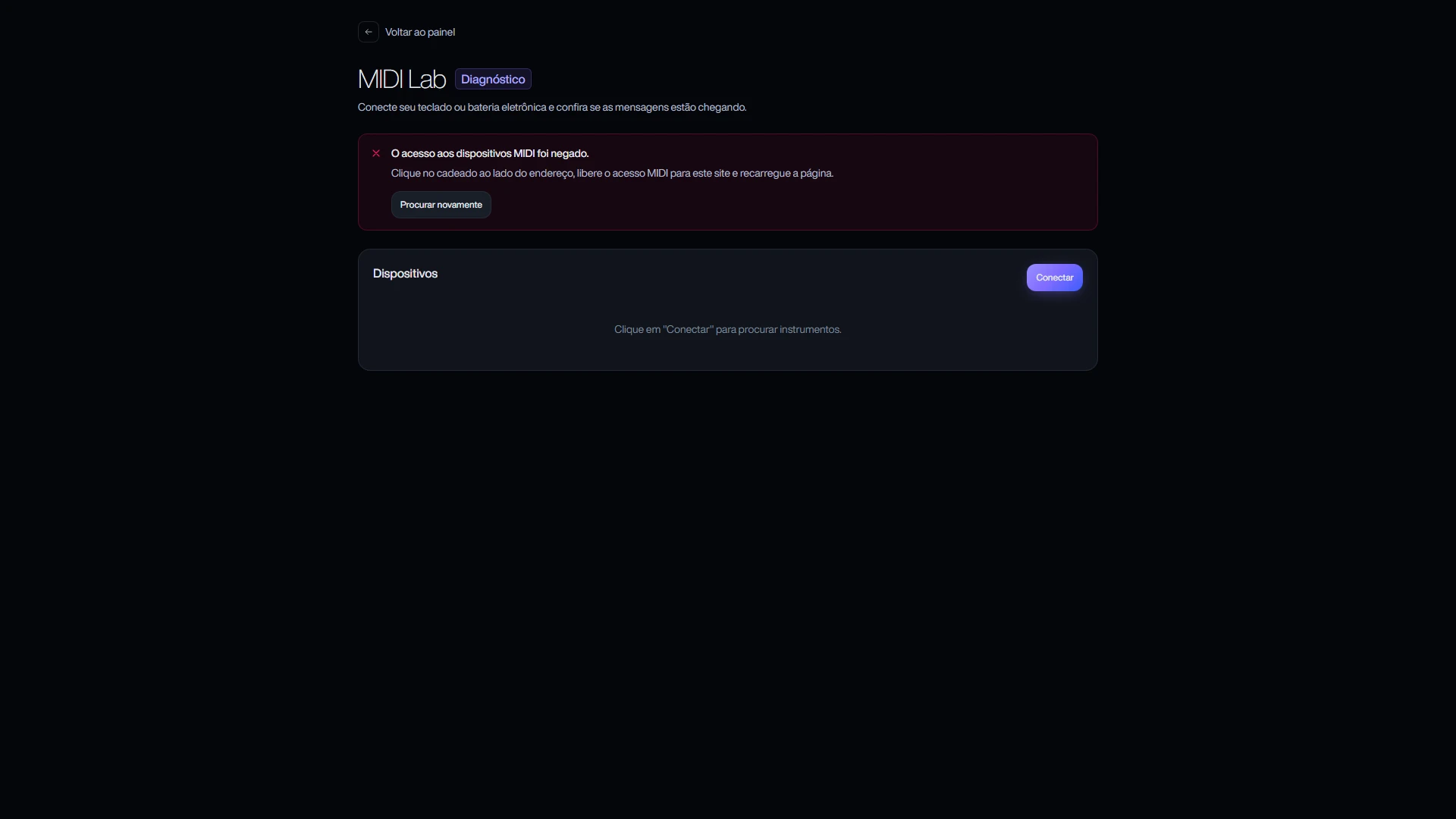
SONIQRA MIDI Lab with the actionable access-denied message and the device list
MIDI LabKeyboard and electronic drums, with the kit mapping assistant. When the browser denies access, the screen neither vanishes nor freezes: it says where to click to allow it and what to do next.
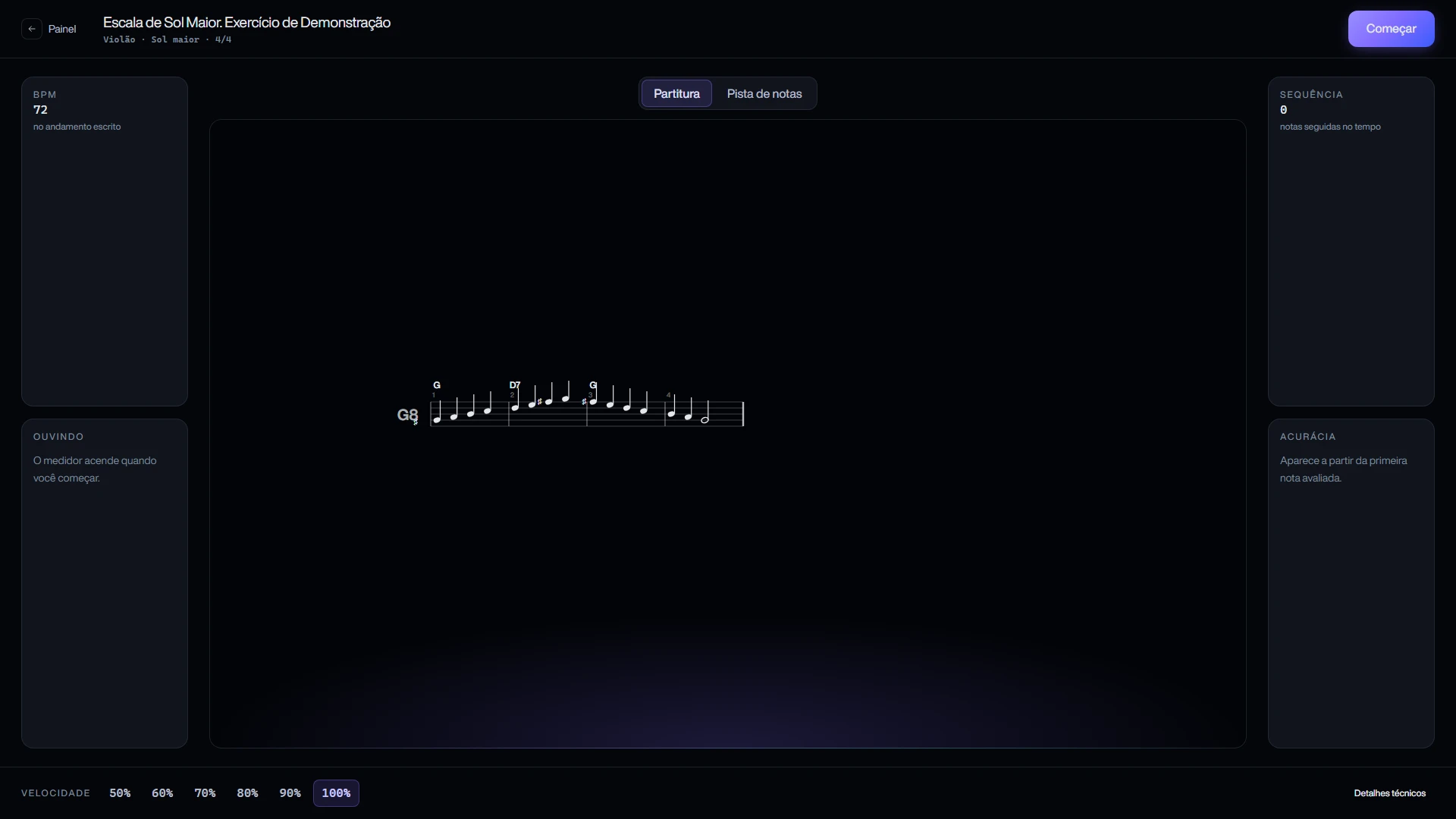
SONIQRA practice screen with the G major scale notation, tempo and speed selector
Practice with notationThe exercise open: sheet music rendered in SVG with staff, chord symbols and bars, the written tempo, a speed selector from 50% to 100%, and the streak and accuracy cards, which only light up after the first assessed note.
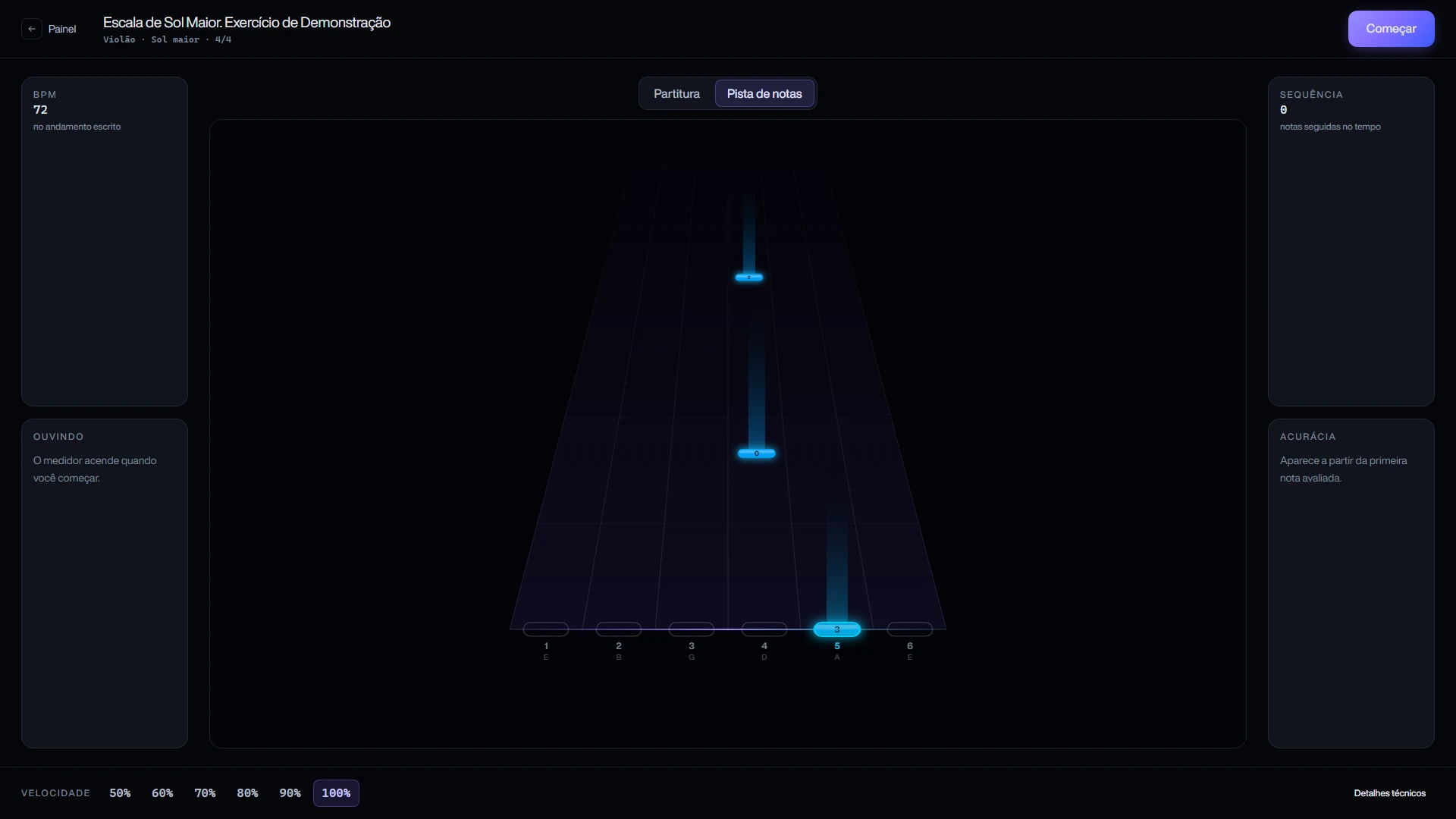
SONIQRA note highway with the six guitar strings and the frets to play
Note highwayThe same performance in the other reading: notes come down by string and fret, the way a guitarist sees the neck. It is the alternative for someone who does not read notation yet.
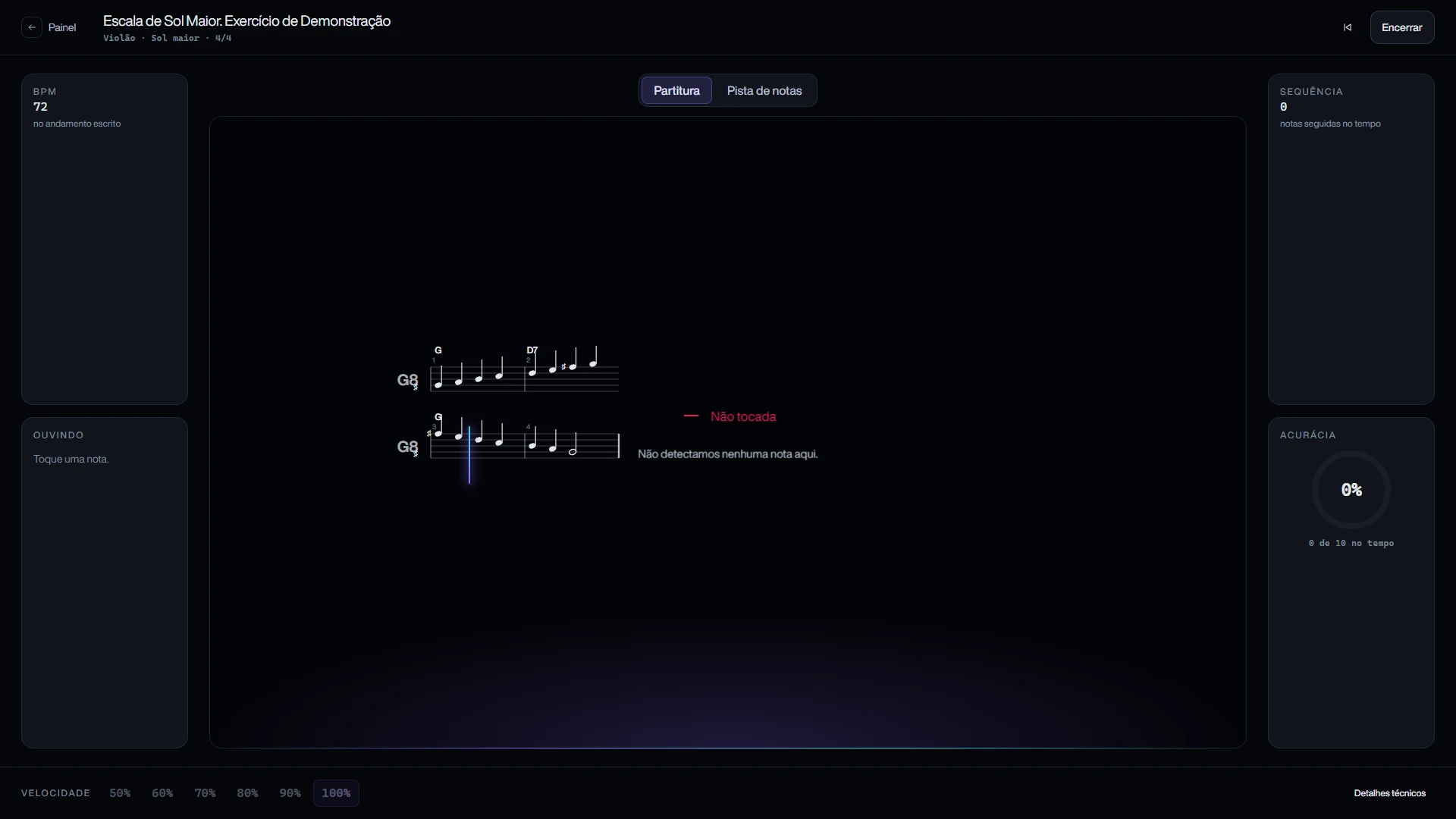
SONIQRA practice running, with the cursor on the staff and the not-played notice
Practice runningThe exercise running: the cursor moves along the staff, the panel says what it is hearing, and accuracy counts how many notes landed in time. Where nothing was detected, the screen writes "not played" instead of inventing a hit.
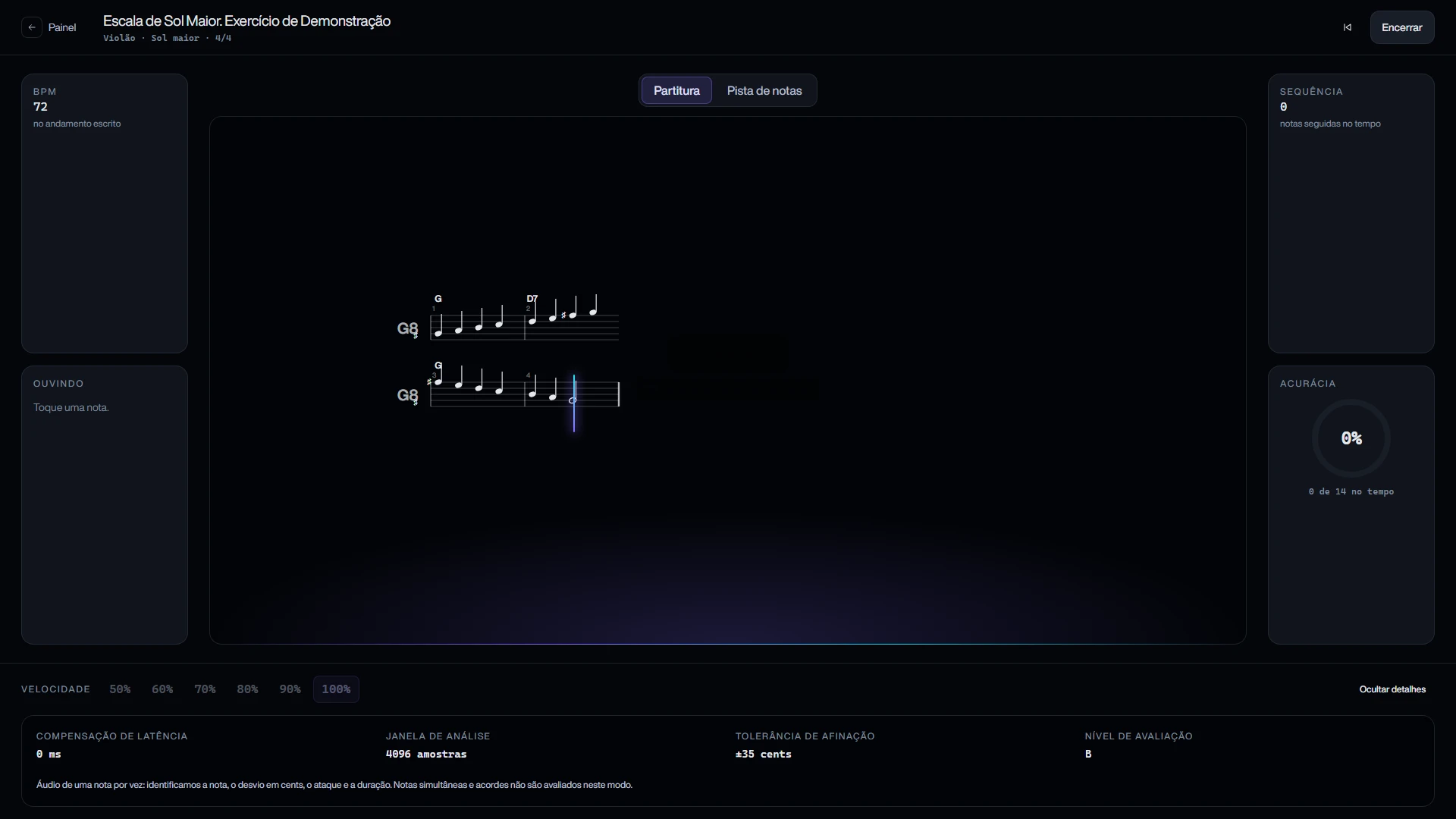
SONIQRA practice technical details panel with latency, analysis window, tolerance and level
Technical detailsThe panel that opens at the foot of the practice screen: applied latency compensation, analysis window in samples, pitch tolerance in cents and the assessment level in use. Anyone who wants to check the ruler can.

Result

The technical core is complete and covered by 322 automated tests, 104 of them in the music theory layer alone. TypeScript in strict mode, with exactOptionalPropertyTypes.

Stack

  • Next.js 16
  • React 19
  • TypeScript
  • Supabase
  • PostgreSQL
  • Zod
  • Web Audio API
  • Web MIDI
  • Vitest
  • Tailwind v4

The promise changes with the technology

There are four declared levels. MIDI is level A: note, onset, duration, velocity and pedal, exact. One note at a time over audio is level B: note, pitch in cents, onset and stability. A chord over a microphone is level C: chord class and change, with confidence. Acoustic percussion is level D: onsets, rhythm and subdivision. A piano over MIDI is A; the same piano over a microphone is C, and the interface says so before the student starts.

The bug a test found

A pitch detector fed 880 Hz reported 176 Hz with maximum confidence: it had locked onto the subharmonic. That error does not show up by ear, it shows up by measurement. Hence the subharmonic guard in the engine and the benchmark harness that runs against synthesised signal on every change.

Calibrate before judging rhythm

Latency is measured by median and median absolute deviation, not by a single point, and the engine refuses to compensate when the measurement is not reliable. Swapping wired headphones for Bluetooth invalidates the profile, because the delay changes and the rhythm measurement would go with it.
See other projects

Talk to me